Pages

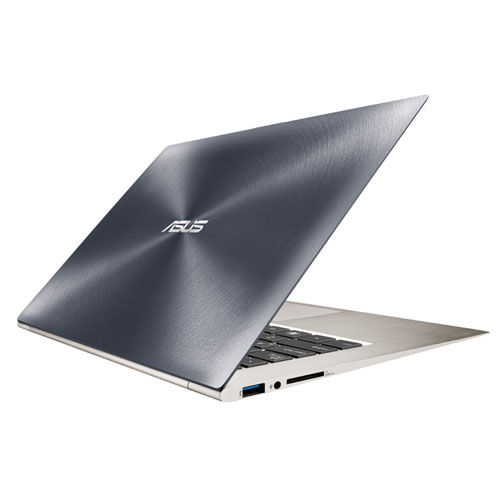
ASUS Zenbook Prime Reviewed

The most prime ultrabook of them all

ASUS N56VZ Review

The Definition of Entertainment

Transformer Pad TF300, Affordable Quad-Core

Transformer, Quad-Core, Affordable and Plastic

This is default featured slide 4 title

Go to Blogger edit html and find these sentences.Now replace these sentences with your own descriptions.

This is default featured slide 5 title

Go to Blogger edit html and find these sentences.Now replace these sentences with your own descriptions.

Tuesday, July 10, 2012

[Review] : ASUS Transformer Pad TF300

ASUS Transformer Pad TF300
Affordable Quad-Core 


ASUS Transformer Pads TF300 in Iceberg White and Royal Blue
The TF300 is the 3rd transforming tablet from ASUS. The new Transformer Pad is now designed for capture the hearts of 1st time tablet buyers that looks for performance, style and still conscious for their budget. 


Design & Specifications


HWM Philippines quoted that the TF300 is "Prime on Plastic". Honestly I kinda agree, since the TF201 AKA Prime is using premium materials which is an all aluminum body, its definitely one reason why the Prime was expensive.

Here are the basic specs of the TF300

  • NVIDIA Tegra 3 4 plus 1 Quad Core Processor 1.3Ghz
  • 32GB eMMC Storage
  • 10.1" IPS Panel 1280 x 800 Display (10 point multi-touch)
  • 8mp Camera f2.2 Apeture and 5 Elements Lens
  • Exclusive Mobile Dock for Additional Battery, Keyboard and Ports
  • Iceberg White, Royal Blue and Torch Red

Compared to the Prime the TF300 is just basically more...affordable.


Some major changes is definitely the body, where lifting a plastic tablet will be noticable since the TF201 feels really premium. Focusing on the TF300 the quality of the plastic body is very good, still carrying the concentric circle design finish of ASUS, it adds design and functionality as the tablet is easier to grip. 

Camera 

TF300T Sample Picture [click to enlarge]

Sample picture above is taken under direct sunlight. Thanks to its 2.2 aperture  camera, it was able to control the level of brightness making it possible to see the building in the picture. In other digital cameras, the light would be too great and will cover overshine the building. Quality wise, its still not that great when zoomed in as you can't get that much detail but color and clarity wise, its already above average class.

Dock

ASUS created the Transforming concept because they want to combine all of the gadgets into one powerful powerhouse. In a bag where a techie person has a camera, an external HDD, mouse, charger and many more, ASUS wants to simplify the on-the go person with the Transformer Pad.

Having a functionality of a notebook with a full pledged keyboard, touchpad, usb ports and SD card reader. Also a bonus battery pack as the keyboard can charge the tablet extending the battery life significantly

Transformer Pad Dock

The TF300 Dock is specifically designed to work only on the TF300 as well. Unlike the dock of the TF201 where its also the same as the one for the Transformer Pad Infinity. This is because that the TF300 is a little thicker at 9.7mm where it will be flimsy if slot into the TF201 Dock.

Basically the dock is also made in plastic, and they changed the keyboard to the same keyboard used by Eee PC netbooks.

TF300 USB 2.0 Port + SD Card Reader on the same side

TF300 30-Pin connector Port

Software

ASUS Transformer Pad Default Screen

Basically ASUS didn't tweaked the user interface that much as ASUS believes that Google Ice Cream Sandwich is already good. Tech persons call this as "Vanilla" version of Ice Cream Sandwich. 
ASUS just tweaked the user interface with simple change of font by using "Roboto" font, and simplification of widgets by simple line based graphics.
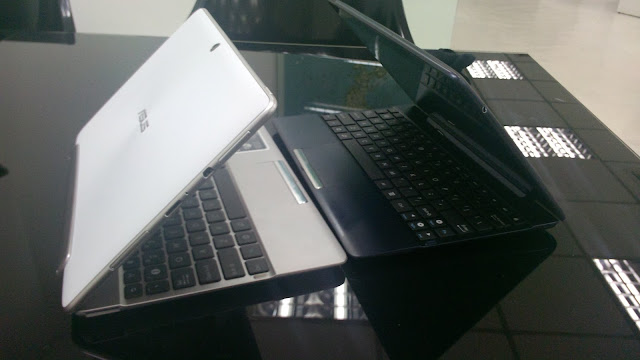
ASUS Notification Bar

The notification bar is also simple with just a modification of power adjustments of the processor from battery saving, balance mode and high performance mode. Plus the quick toggle to change the brightness. 

Another good thing about ASUS is that they are FAST, as in really fast in updates. They were the 1st in Honeycomb 3.1 , Honeycomb 3.2, Ice Cream Sandwich and now their latest is ICS with Face Unlock. 

Conclusion


In conclusion the TF300 of ASUS is still powerful thanks to its Quad Core NVIDIA Tegra 3 processor. Plus ASUS managed to pack a very good tablet at a very tempting price point.

With an SRP Php 24,995 which is also now the 32GB variant, this is definitely a hit for those tablet searchers. With other competitions with the same price level but only providing a "tablet", unlike with ASUS where it already has the Mobile Dock in the package, its definitely a feature that users will have to reconsider when buying a tablet. 

A Quad Core Tablet, 8mp Camera, up to 15 hours of battery life, easy typing experience, the latest Ice Cream Sandwich OS and a very tempting price. All you need to start your tablet experience. 

Monday, July 9, 2012

[Review] : ASUS N56VZ

ASUS N56VZ
Entertainment Notebook Redefined


The new N6 series of ASUS is their new entertainment notebook that definitely defines entertainment without breaking the bank. 


Currently the N56 is one of the most in-demand notebook of ASUS, with its powerful specs, beautiful design, crystal clear speakers, powerful bass and gorgeous simple design. 


Speakers


The N56VZ is the entertainment powerhouse of ASUS in the Philippines, its specialty is its superb display and audio quality. 


As the N56 is equipped with Bang & Olufsen, its capable of producing crystal clear sound without sacrificing bass. Also the N56 is now using an Magnesium Aluminum body where its now more better against body vibration.

ASUS highlighted that its easy to put big speakers in a notebook, but making it work with vibration sensitive parts such as HDD or I/O modules makes it very hard. That why they use Bang & Olufsen speakers for the best sound reproduction without sacrificing on weight, body quality or design. 


ASUS SonicMaster Technology
ASUS Introduced the SonicMaster technology last 2009 where it was primarily used in the NX90 notebook 

Since then, ASUS has created the image to use SonicMaster in their products. SonicMaster is a software of ASUS that enchances the speakers of a notebook to produce better range in treble and more bass without producing unwanted side effects in speakers. Probably the reason behind this is that ASUS wants to separate their brand in sharing technology and prove that they are better.

Example : SRS Surround sound is used by Dell, Toshiba, Lenovo and before ASUS.


Asides from the two powerful speakers of the N6 series, it also has a SonicMaster external subwoofer where its ideal in producing more bass. When used, its incomparable to any other audio special notebooks in replicating the sounds of the N6 series.

Software wise, the N6 series is equipped with a Full version of MaxxAudio software, it specifically tunes every aspect of your audio system for a customized audio experience.

In situation terms, the N56 can easily replace the any external speakers that cost around 1500 - 2500. Making you carry less and avoid the hassle of bringing additional items. 

Design


The N6 series notebook is overhauled in design to deliver a more simple yet powerful package. The Touchpad is now three point touch enabled where it can do multiple command gestures to avoid using keyboard keys to much. 

Keyboard of the N6 is now back assembled as it promotes better travel distance, solid typing experience and especially the best feature of all, its now Backlit. 


Another feature is its Superior Display that provides wide viewing angle display with 350 nits of brightness. Plus the resolution of the N56 is now Full HD 1080p. 


As you can see the display is now also matte, making viewing videos more pleasurable especially movie watching with many friends.


Equipped with NVIDIA GT630M series graphics, the N56 is capable in playing high end games in the market today. Plus in a Full HD display, powerful speakers it makes your experience more enjoyable as you can really feel each and every bit of what is happening.
Conclusion

I definitely recommend the N56 Multimedia Notebook for anyone who has special requirements. With its powerful specifications, beautiful display, superior display and audio quality its perfect for people with professions. Audio Junkies, Graphic Artists, Video Editors or even just a hardcore gamer, the N56VZ definitely can fit the lifestyle of those entertainment hungry users

Plus having a price range of less that 50k, its bang for the buck as its the same performance as high end notebooks in 60k+ price and the best part is that it has better audio quality. 


Specifications 


  • CPU: 3rd generation Intel Core i5
  • Operating system: Windows 7 OS
  • Chipset: Intel HM76 Express
  • Memory: DDR3 4GB 1600MHz
  • Display: 15.6-inch 16:9 Full HD Wide Viewing Angle LED-backlit
  • Graphics: Nvidia GeForce GT 630M with 2GB DDR3 memory
  • Storage: SATA 3Gb/s 750GB (7200rpm) 
  • Audio : ASUS SonicMaster + Bang & Olufsen Speakers


Estimated SRP : Php48,000 - Php50,000

[Review] : ASUS Zenbook Prime UX31A

ASUS Zenbook Prime UX31A
The Prime Ultrabook


ASUS introduced the Zenbook as early as Computex 2011 where its the new form factor inspired by Intel. The 1st generation Zenbook claimed many awards for its approach of a slim, powerful and beautiful PC where it fulfilled the role of being the "Zen" or balance of Beauty and Performance.

You can read up my review of the 1st Generation Zenbook Here
http://asusfandom.blogspot.com/2011/10/review-asus-zenbook-real-ultrabook.html


What makes the new Zenbook Prime? 


1st of all, ASUS is proud to announce that the Zenbook Prime is the World's 1st Notebook equipped with FULL HD IPS Panel. Meaning both 11.67" and 13.3" variants are using IPS Panels for accurate and vivid display visuals and FULL HD resolution for optimal PC experience. 


So its FULL HD / IPS Panel + SSD + Backlit Keyboard = Zenbook Prime


Basically ASUS kept the same look for the Zenbook but made a lot of improvements in the inside. 
Let's talk about it more now.
Backlit Keyboard


When the 1st Zenbook was out, a lot of people complained about that it doesn't have backlit keyboard. Now the new Zenbook Prime now has one, they even improved the travel distance of the keys in the Zenbook Prime which is the primary complaint for Ultrabooks due to their slim form factor. 

Speakers


The speakers of the Zenbook Prime is still the Same Bang & Olufsen ICEpower  but the Prime got improvements by changing the speaker channel directly below. Making the Prime have a more clear and direct speaker experience. 


Display

Zenbook Prime UX31A Upclose Photo

Pixel Density 
UX31A - 165.63 Pixels Per Inch
UX21A - 189.00 Pixels Per Inch


Zenbook Prime Matte Screen 
You can still actually see pixels but the quality of the Display is phenomenal as you won't really look at it upclose. Since the display is IPS, it can give the widest viewing angle available, plus the addition is that ASUS uses 3M matte finish on the display so there will be a lot less of those glare especially outdoors.

As of now the Zenbook Prime is still the only one with IPS Panel and Full HD Resolution in an Ultrabook, making it the top choice for an Ultrabook. As other manufacturers announce their new ultrabooks, they can't still beat or even match the FULL HD resolution of the Zenbook Prime. As far as the competition goes, they can only deliver up to 1600 x 900 in resolution.

Zenbook Looks?


The Zenbook Prime still looks the same, but ASUS improved the metallic spun finish by making it even a more hairline thin finish thus creating a more smooth yet more louring finish for better light reflection. 

A Roll of scotch tape is even taller than the Zenbook Prime
 Left Side Ports : USB 3.0, 3.5mm Audio-In Jack and SD Card Reader


Zenbook Prime right side ports
Right Side Ports : Mini-VGA, Micro HDMI, USB 3.0 Port and AC Adapter


Don't worry about connecting to projectors as the Zenbook has a bundled adapter for the Mini VGA for free, also a USB Lan for those rare Lan Moments. 


Performance

Zenbook Prime Windows Experience Index

The Zenbook Prime is now upgraded to the new Ivy Bridge processors of Intel, with the Core i7 to be shipped here in the Philippines. A lot of users are sure to be happy aiming for the prime specs of them all.

The Zenbook Prime achieved a lowest of 5.1 for graphics in windows aero but for the rest, it achieved remarkably.

Calculations per second - 7.1
Memory Operations per second - 5.9
Desktop Performance for Windows Aero - 5.1 
3D business and gaming graphics - 6.2
Disk Data Transfer Rate - 7.5

SSD Performance is now even faster as the Prime is also using the latest SSD Sata III and combined with Raid 0 technology for an even faster sequential read and write. 

Graphics wise, this is where the new Ivy bridge steps a notch with the new Intel HD 4000 graphics. Its capable in running games such as Diablo 3, Batman Arkham City, Battle Field without setting it to the lowest possible settings, thus more gaming quality. 

Conclusion

The new Zenbook Prime definitely brings up the Ultrabook competition up a notch, while other manufacturers are improving their durability by using carbon body or gorilla glass technology, ASUS on the other hand focused in improving the customer experience by providing a more user adaptive features.

With the inclusion of the new FULL HD / IPS panel, the Prime now opened the doors for professionals such as Graphic Artists, Fashion Designers or even Video Editors to consider having an Ultrabook for their profession.

Zenbook Prime UX31A in the Philippines is Php69,995

It will be available by the 2nd week of July


  • Intel Core i7-3517 1.90Ghz up to 2.40Ghz with Turbo Boost
  • Intel HD 4000 Graphics
  • 4GB DDR3 RAM
  • 256GB SSD SATA III
  • 13.3" FULL HD 1920 x 1080 IPS Display
  • Bang & Olufsen Speaker
  • Full Aluminum Body 3mm at the Front and 9mm at the Back

Overall you can say that all of the complaints in the 1st Zenbook was addressed now in the Zenbook Prime. Making it now the Prime Ultrabook of them all. 


Saturday, April 7, 2012

[Review] : Asus Eee PC 1225C

ASUS Eee PC 1225B
Affordable, Powerful, Reliable and now Flared Up!
The new ASUS Eee PC 1225B

ASUS introduced their new netbooks in the recent CeBIT 2012, with it is the new 1225 Eee PC series. The new Eee PC 1225B is the successor of the 1215B, its one of the most successful 12 inch netbook in the Philippine Market. Now with a new revamped design, new materials and more functionality the 1225B is now ready to provide the Philippine Market an affordable yet reliable netbook.


Eee PC 1225B

Same with the Eee PC 1025C the 1225B has the new Flare concept of ASUS. But now the look of the 1225B is more aggressive with impressive materials used in the netbook.

Eee PC 1225 Keyboard and Touchpad

The keyboard of the 1225B is even revamped with better placement and size, plus the palm rest is metallic giving it a more expensive and corporate feel.

Eee PC 1225B Touchpad
The touchpad of the 1225B is also more detailed with a textured surface for the left and right buttons. Also with a chrome fit at the sides of the touchpad.

Besides the improved physical aspects of the 1225B, its now equipped with two USB 3.0 slots for faster charging and charging even when the unit is off . Although the processor is still the same as the 1215B the upgraded looks makes the 1225B worth the price of only Php22,995. The 1225B is perfect for those who are looking for a potable netbook with a larger screen and more processing power.

[Review] : Asus Eee PC Flare 1025CE


ASUS Eee PC 1025CE
Flare up!

The new Eee PC Flare Series of ASUS

ASUS has been successful with the netbook industry since their reveal  way back 2007. Now 5 years after, the netbook industry have gone a long way in bringing affordable PC's to all. You might hear about ASUS using their "SEASHELL" concept design for netbooks before but now their amped the looks with their new Flare series.

ASUS Flare series colors
The ASUS Flare series has a total of 9 colors that captures the personalities of the user.
  • Tuxedo Black
  • Silky While
  • Addict Pink
  • Paris Pink
  • Plucky Purple
  • Expresso Brown
  • Mysterious Blue
  • Gentleman Blue
  • City Gray (not in picture)

Besides now being FULL HD capable thanks to its new Intel Atom Cedar Trail processor, the Eee PC flare also have Instant ON where the user can resume in just 2 seconds from sleep. An advantage especially for those instant check to tweet or post in facebook. 


The Eee PC flare now uses metallic paint texture unlike before where its only a plain colored netbook. Plus the keyboard is now more uplifted with its two tone color scheme. The flare concept is taken from space where you can see flares, thus where the metallic side chrome is taken from. 
Eee PC Flare Paris Pink

The Eee PC Flare will be available in the Philippines by late April. Pricing is Php16,995 with Windows 7 Starter. Powered by Intel Atom N2800, 1GB RAM, 320GB Hard Disk Space, HDMI Out. Available in Paris Pink and City Gray in the Philippines.